 Penumbra
Swipe between tabs
Slide the bottom bar to jump to the next tab, just like you'd expect.
Dark mode browser for iPhone
Penumbra puts every website in dark mode, even the ones that don't have one. Read without ads, and block whoever follows you from site to site.
Dark.Clean.Private.
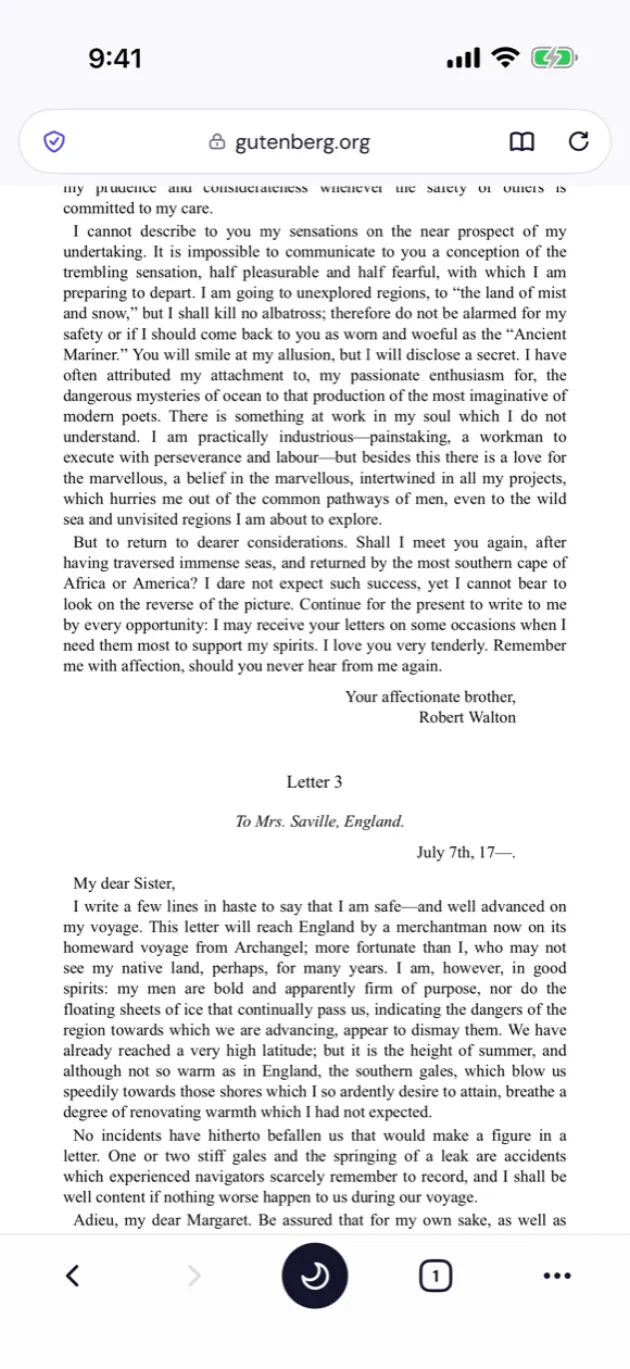
 Before
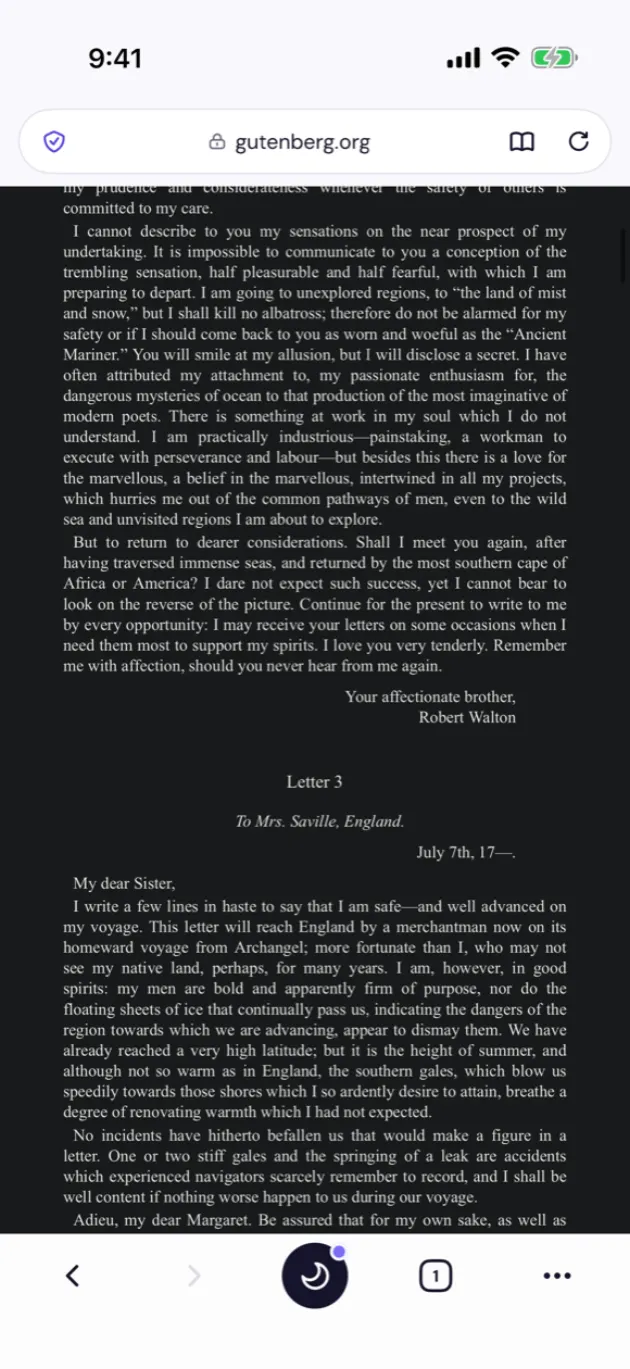
With Penumbra
Most websites still don't have a dark mode. Penumbra gives them one.
Any website
Penumbra darkens sites that never shipped a dark theme, and leaves alone the ones that already have one. You decide how it looks.
Read better
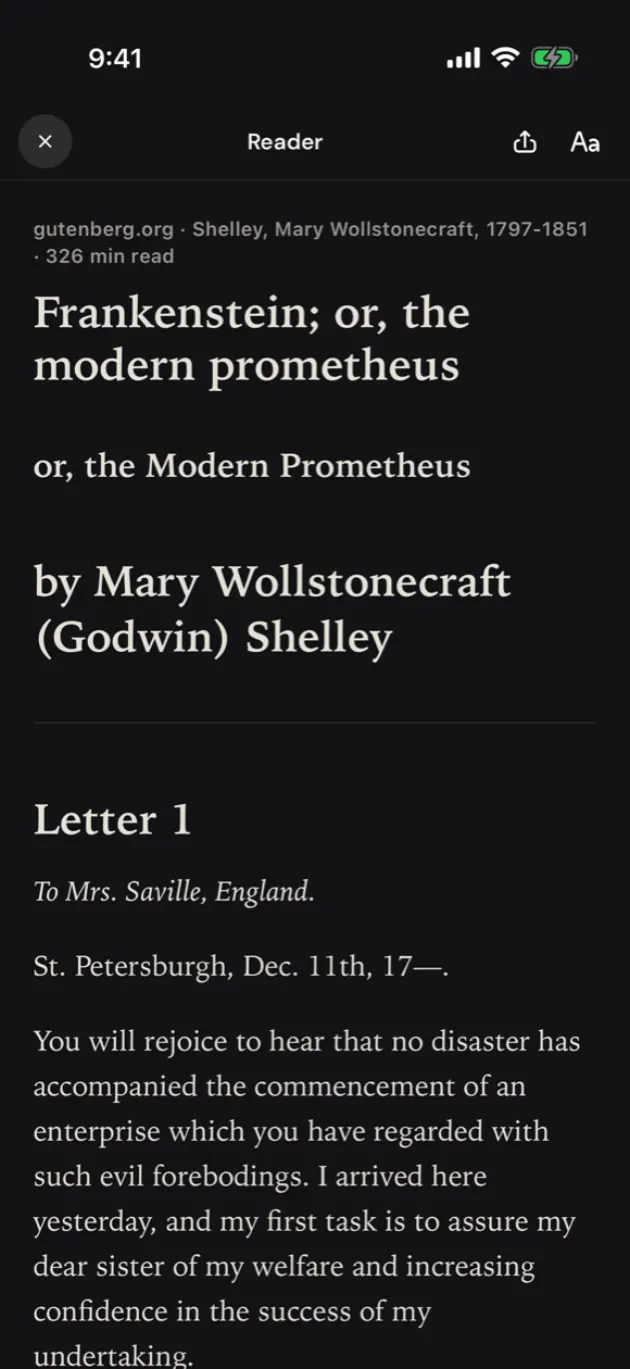
Reader mode turns any article into clean, comfortable text, with the background and font you like: dark, sepia or light; serif or sans.
Truly private
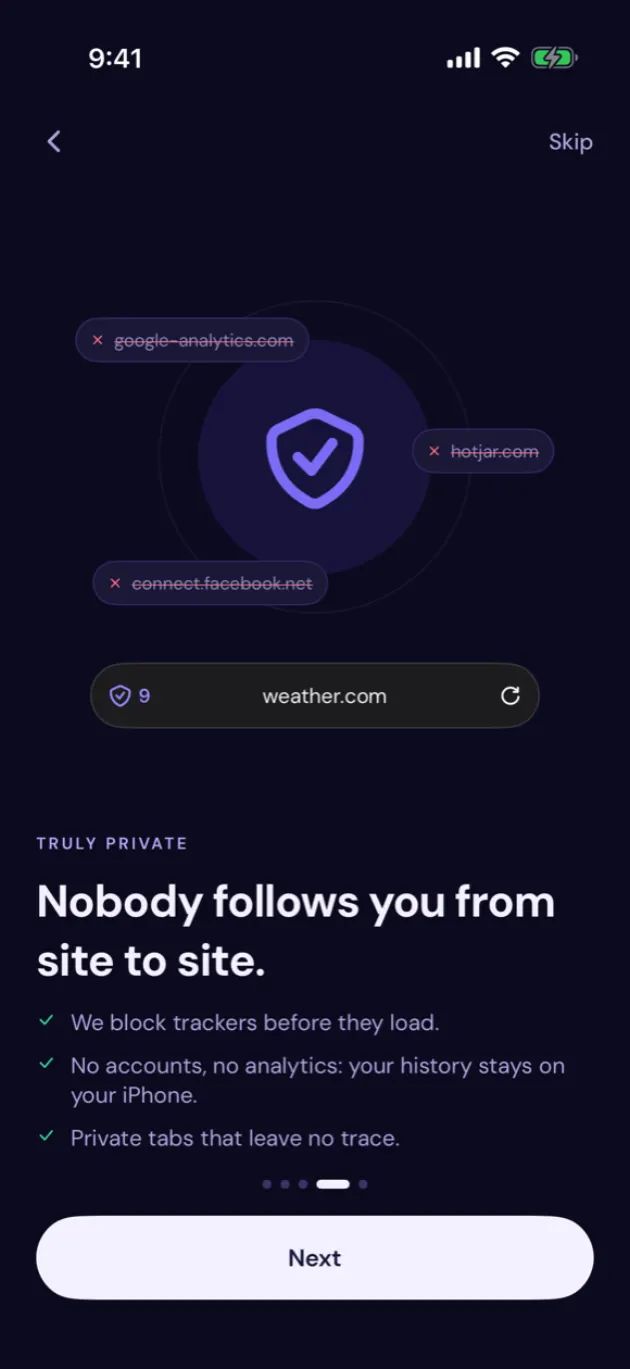
Penumbra blocks trackers before they load, and we never collect a thing about you.
Made for night readers
Slide the bottom bar to jump to the next tab, just like you'd expect.
Open in a new tab in the background, open privately, read later, copy or share.
Google, DuckDuckGo or Bing, with suggestions as you type. Turn them off anytime.
English, Spanish, Portuguese, French and German. Switch inside the app, no restart.
The app itself follows your iPhone, or pick light or dark. Pages stay dark either way.
No ads, no subscription, no account. Just a better way to read at night.
Questions
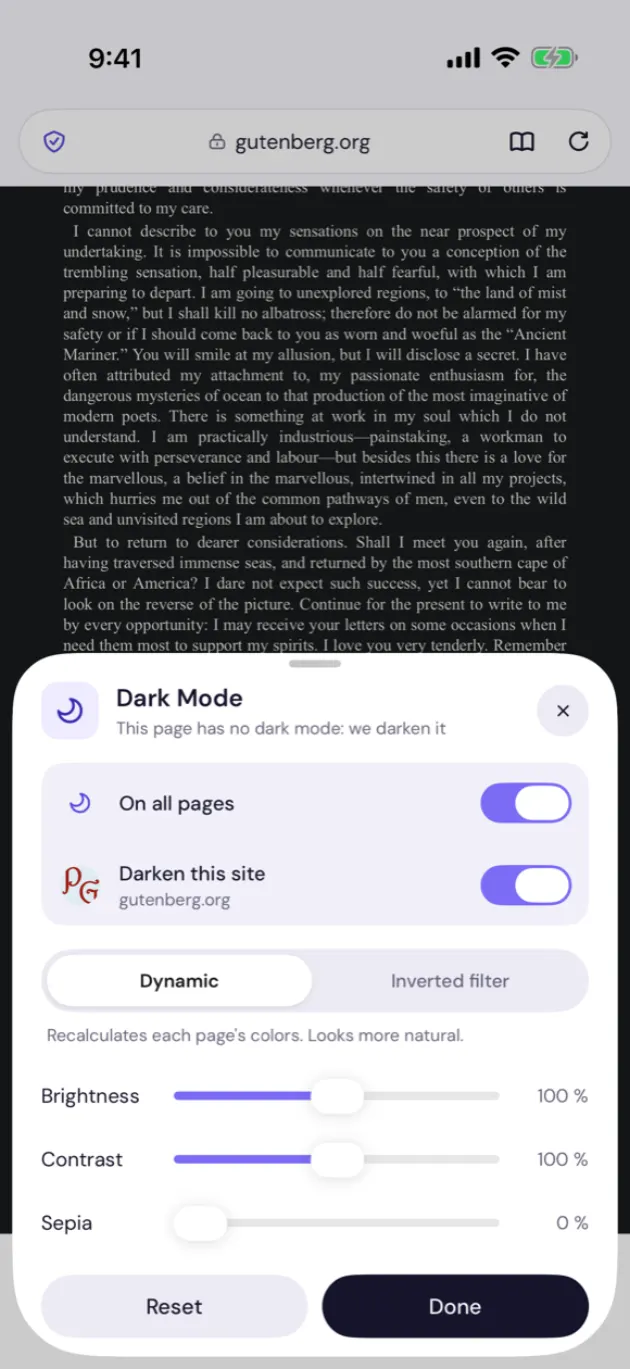
Open the site in Penumbra. Dark mode is on by default, so pages that don't have their own dark theme are darkened automatically, and sites that already have one are left as they are. Tap the moon to adjust brightness, contrast or sepia.
Yes. Penumbra is free, with no ads, no accounts and no subscriptions.
No. There are no accounts and no analytics. Your history, saved articles and settings stay on your iPhone, and private tabs leave no trace. Read the privacy policy.
It works on the vast majority of sites. Dynamic mode recalculates each page's colors so it looks natural; Inverted filter flips the page and restores photo colors. If a site ever looks off, you can turn dark mode off for that site only.
Penumbra blocks trackers (scripts that follow you from site to site) using the EasyPrivacy list. Reader mode shows just the article text and photos, without ads.
English, Spanish, Portuguese (Brazil), French and German. You can switch language inside the app without leaving it.
Penumbra is free and coming soon to the App Store for iPhone (iOS 26 or later).